

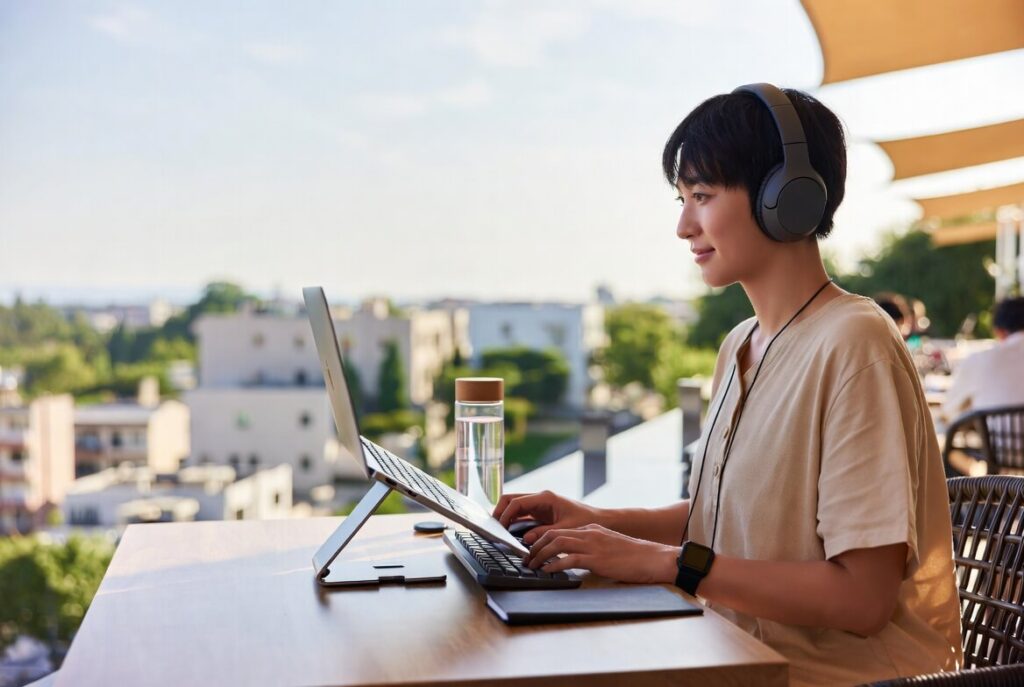
The freedom to work from anywhere is one of the biggest advantages of modern life.
A morning in a café. An afternoon in a coworking space. A week in a new city. The ability to take your work wherever you go creates opportunities that were almost impossible a decade ago.
But there’s a hidden challenge that many remote workers and digital nomads discover quickly:
Most temporary workspaces aren’t designed for comfort.
Kitchen tables, airport lounges, hotel desks, and café counters often lead to poor posture, neck strain, back pain, and fatigue.
The good news is that creating a healthier mobile workspace doesn’t require carrying heavy equipment. Small adjustments can make a significant difference.
Raise Your Screen
One of the most common causes of discomfort is looking down at a laptop for hours at a time.
When your screen sits too low, your neck naturally bends forward. Over time, this can create tension in your neck, shoulders, and upper back.
A simple laptop stand can help bring your screen closer to eye level, encouraging a more natural posture and reducing strain during long work sessions.
Use an External Keyboard and Mouse
If you regularly work for several hours at a time, pairing your laptop with a compact keyboard and mouse can dramatically improve comfort.
This allows you to position your screen at a better height while keeping your arms and wrists in a more natural position.
Many lightweight travel-friendly options fit easily into a backpack without adding significant weight.
Move Every Hour
Even the perfect setup isn’t meant to be used without breaks.
Set a reminder to stand up, stretch, or walk for a few minutes every hour.
Movement improves circulation, reduces stiffness, and often improves focus and creativity.
Some of your best ideas may appear during a short walk rather than while staring at a screen.
Choose Better Seating When Possible
Not all cafés are created equal.
When selecting a workspace, look for:
- Tables at a comfortable height
- Chairs with some back support
- Natural lighting
- Enough space to organize your essentials
Small environmental improvements can make a surprisingly large difference over the course of a workday.
Build a Mobile Workspace System
Instead of treating every work session as a new challenge, create a simple system that travels with you.
Your setup might include:
- Laptop stand
- Compact mouse
- Lightweight keyboard
- Tech organizer
- Water bottle
- Noise-canceling headphones
The goal isn’t to carry more. It’s to carry smarter.
Final Thoughts
Remote work should give you freedom, not discomfort.
By making a few intentional changes to your setup, you can work comfortably from almost anywhere while protecting your long-term health.
A healthier workspace isn’t tied to a building. It’s a system you can carry wherever your journey takes you.
Leave a Reply