


Understanding the Importance of Ergonomics
Ergonomics is a scientific discipline that focuses on understanding human interactions with various elements of a work environment. In the context of working remotely, particularly with a laptop, ergonomics plays a crucial role in maintaining proper posture and ensuring overall physical well-being. The significance of ergonomics cannot be overstated, as poor work habits can lead to a variety of physical ailments.
When working for extended periods at a laptop, individuals often adopt unnatural postures, leading to discomfort and strain. Common issues associated with poor ergonomics include back pain, neck strain, and repetitive strain injuries. These conditions arise when the body is not supported correctly or when repetitive motions are performed without proper care. For example, hunching over a laptop can cause tension in the neck and shoulders, while sitting for long hours can lead to lower back pain.
Investing in ergonomic equipment, such as an adjustable chair, a laptop stand, or an external keyboard, is essential for mitigating these risks. Ergonomic solutions encourage the body to adopt healthier positions, which can significantly reduce the chances of experiencing physical issues related to prolonged laptop use. Proper alignment of the screen and keyboard can improve comfort, enhance focus, and maintain productivity, ultimately contributing to a healthier work routine.
Furthermore, ergonomics goes beyond just physical comfort. A well-structured workspace can also enhance mental well-being by reducing frustration and exhaustion associated with poor posture. Therefore, prioritizing ergonomic practices is not merely a decision rooted in comfort but a vital aspect of sustaining long-term health while working remotely.
Must-Have Ergonomic Equipment
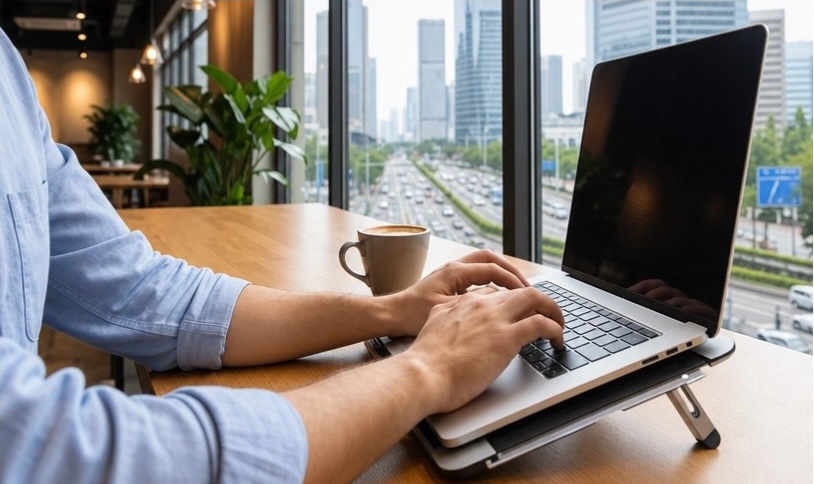
As remote work becomes increasingly common, establishing a comfortable and health-conscious workspace is crucial. The right ergonomic equipment can significantly enhance productivity and well-being. Below are essential items to consider when setting up your remote office.
Ergonomic Chairs: An ergonomic chair is foundational for any remote workspace. It provides support for the lower back, encourages a natural posture, and distributes weight evenly. Look for a chair that allows customization of height and armrest position, as well as lumbar support that conforms to the spine’s natural curve. This ensures a comfortable seating position and reduces the risk of developing musculoskeletal issues.
Adjustable Desks: A height-adjustable desk is another key piece of ergonomic equipment. The flexibility to alternate between sitting and standing while working can help relieve strain on the spine and improve circulation. Many users report increased energy and focus when using a standing desk. It is vital that the desk height meets personal specifications, allowing for a neutral wrist and arm position.
Laptop Stands: Using a laptop stand can significantly elevate the screen to eye level. This simple adjustment helps prevent neck strain, reducing the likelihood of discomfort associated with hunching over. Consider a stand that offers adjustable height settings to personalize your viewing angle further, thus enhancing overall comfort.
Keyboard and Mouse Options: An ergonomic keyboard and mouse can also make a considerable difference. These devices are designed to promote a natural hand position, reducing wrist strain during extended use. Opt for a split keyboard that allows your hands to rest in a more relaxed position, and a mouse that fits comfortably in your palm.
Incorporating these ergonomic tools into your remote workspace can contribute significantly to a healthier and more productive working environment, ultimately promoting better posture and reducing the risk of discomfort while working with a laptop.
Additional Accessories for Comfort and Health
In a remote working environment, enhancing comfort and promoting health is paramount, particularly when using a laptop for extended periods. There are several accessories designed to alleviate discomfort and improve overall productivity. Among these, blue light blocking glasses have gained considerable traction. These glasses reduce the exposure to blue light emitted by screens, which can lead to eye strain and fatigue. By incorporating these glasses into your routine, you can minimize the adverse effects of prolonged screen time, allowing for a more comfortable workday.
Wrist rests serve another critical function in promoting ergonomic health. They provide support during typing and help maintain neutral wrist position, reducing the risk of repetitive strain injuries. Choosing a wrist rest made from soft yet supportive material can make a significant difference in comfort levels, particularly for those who spend long hours on their laptops. Additionally, anti-fatigue mats can be particularly beneficial for individuals who choose to work while standing. These mats are designed to reduce the strain on the feet and legs, allowing for longer periods of standing without discomfort.
Another accessory that deserves consideration is a desktop organizer. This tool can help keep your workspace tidy and organized, reducing distraction and enhancing focus. A clutter-free environment contributes to better productivity by allowing an individual to concentrate on tasks at hand rather than being sidetracked by disarray. Furthermore, maintaining a well-arranged workspace can also positively influence mental well-being.
Incorporating these accessories not only enhances comfort but also promotes a healthier work environment. By investing in such tools, remote workers can significantly improve their productivity and overall satisfaction, ensuring that their time spent working on a laptop is as beneficial as possible.
Tips for Creating a Healthy Work Environment at Home
Creating a healthy work environment at home is essential for maintaining physical and mental well-being, especially when working remotely with a laptop. To begin with, ensure that your workspace is adequately lit. Natural light is the preferred choice, as it not only elevates mood but also minimizes eye strain. If natural light isn’t available, consider using bright, adjustable lighting options that mimic daylight to keep your energy levels high.
In addition to proper lighting, it is important to reduce distractions that can hinder productivity. Designate a specific area in your home as your workspace, free from interruptions or distractions. This separation helps to create a mental boundary between work and personal life, which is vital for focusing on tasks effectively.
Regular breaks play a significant role in sustaining productivity and preventing fatigue. Schedule short breaks every hour to allow your mind and body to recharge. During these breaks, try to step away from your laptop, stretch, or engage in a brief physical activity. This not only promotes circulation but also helps clear your mind.
Incorporating movement throughout the day is another helpful strategy. Whether it’s standing while working on a task, taking conference calls on the move, or setting reminders to walk during breaks, staying active can greatly contribute to your physical health. You could also consider using a sit-stand desk to alternate between sitting and standing while working.
In conclusion, by considering factors such as lighting, reducing distractions, taking regular breaks, and integrating physical activity into your work routine, you can create a healthier work environment at home. A thoughtful approach to your workspace will not only enhance productivity but also promote overall well-being as you navigate remote work.
Leave a Reply